Line Following Robot
📌 Table of Contents
1. Introduction
Line-following robot is one of the most popular, simple, and engaging projects for beginners in electronics and programming. This robot works using infrared (IR) sensors to detect black or white lines on the ground, and it controls the motors so the robot can automatically follow a predefined path. Through this project, you will learn how to solder components, assemble mechanical parts, wire the control circuit, and program the Arduino to operate the robot.
2. Components & Tools
Components & Materials:
- 2 DC motors with wheels
- 2 Infrared (IR) sensors
- Arduino UNO R4
- L293D Driver Shield
- Female-to-female jumper wires
- Ball transfer unit
- PVC foam board (Fomex)
- 2-cell 18650 battery holder
- 2 18650 batteries
Tools:
- Tape
- Screwdriver
- Screws
- Soldering iron
Software application:
- Arduino IDE
3. Assembly Steps
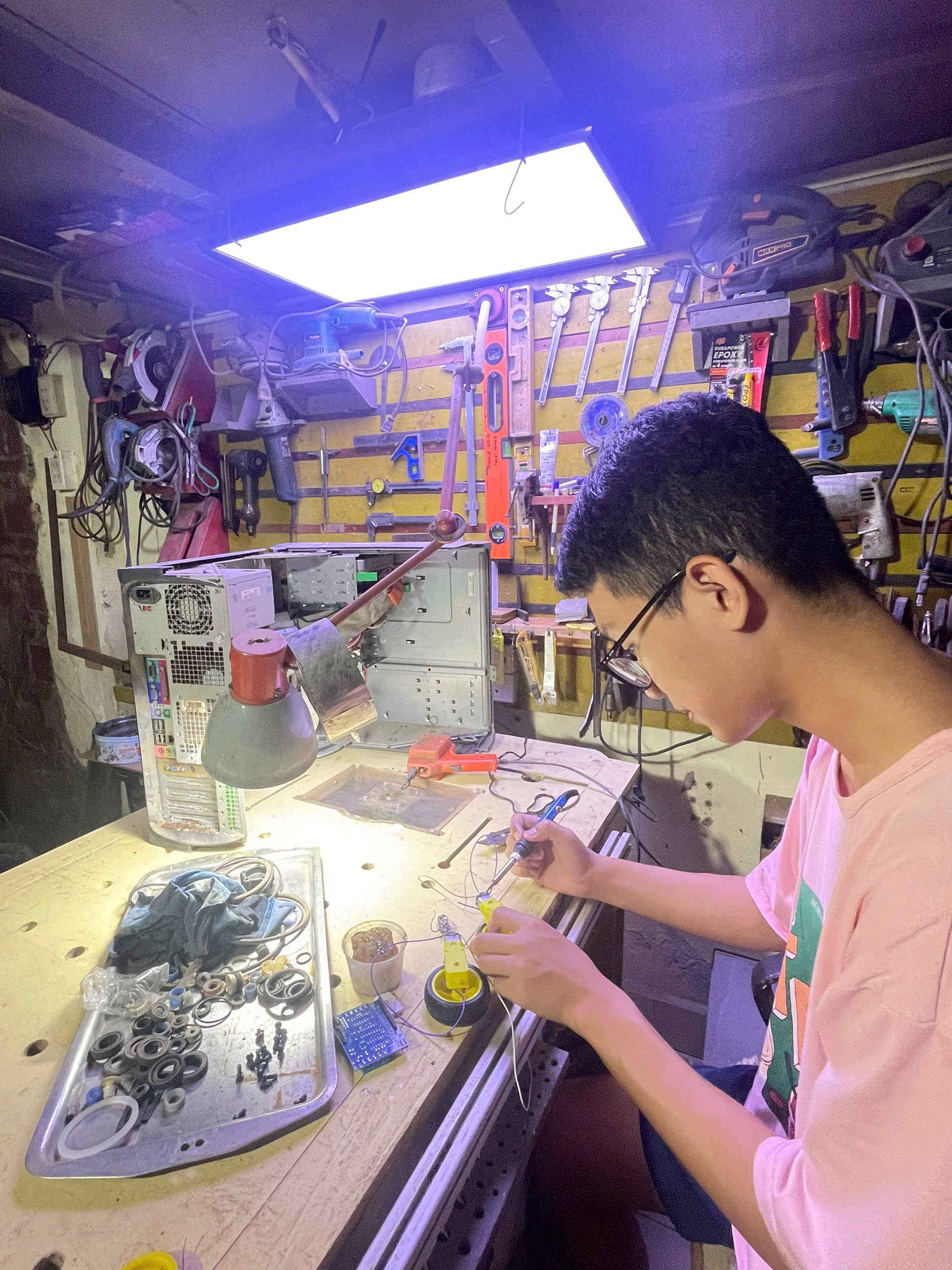
Step 1: Preparing the Motors
- Solder the red and black wires to the two terminals of each motor.
- Ensure the solder joints are firm; optionally insulate with heat shrink tubing or electrical tape for safety.
-----------------------------------------------------------------
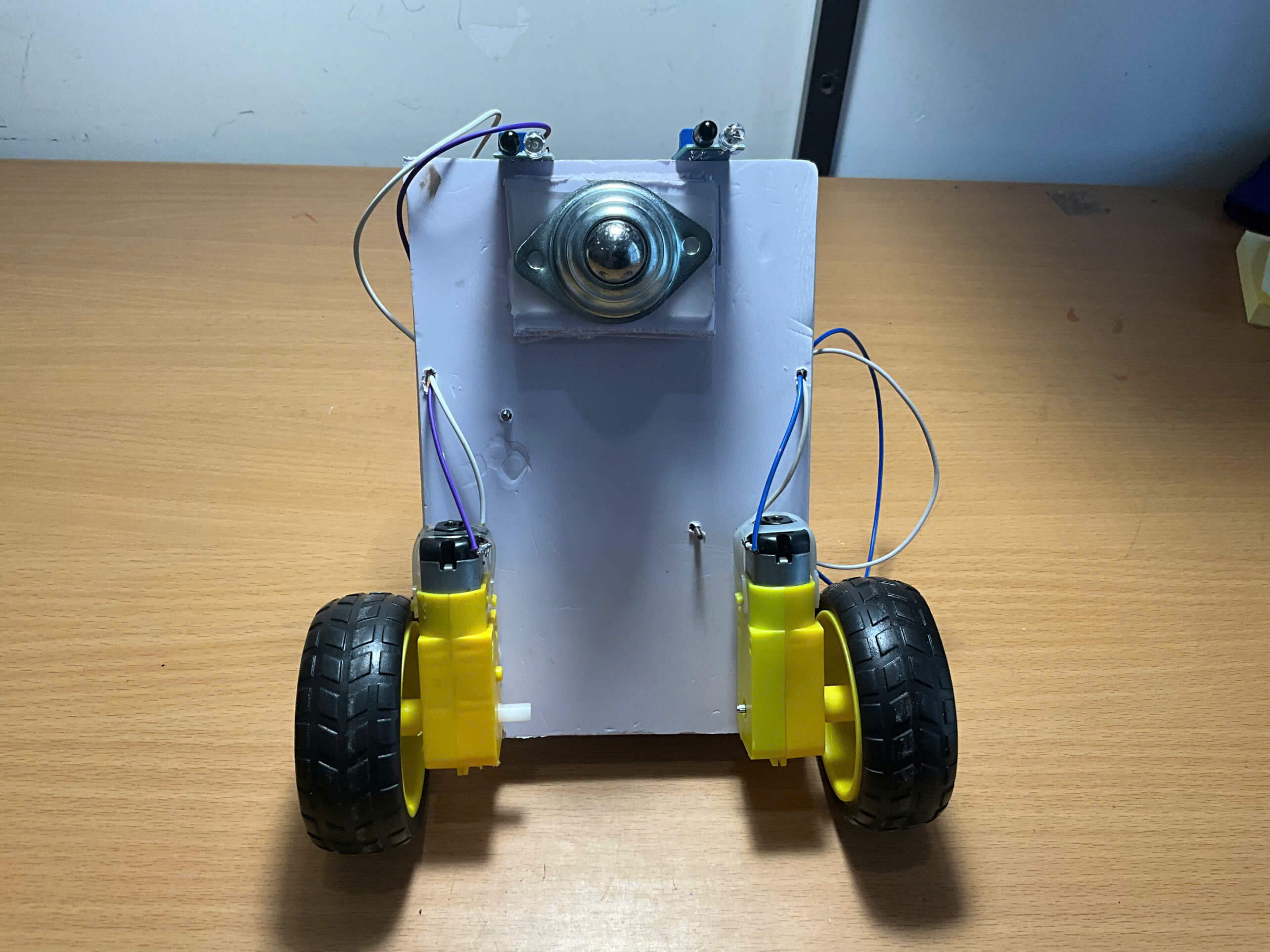
Step 2: Fabricating the Chassis
- Measure and cut the Fomex sheet according to the desired size.
- Secure the two DC motors and the ball caster onto the Fomex sheet using strong tape or screws.
-----------------------------------------------------------------
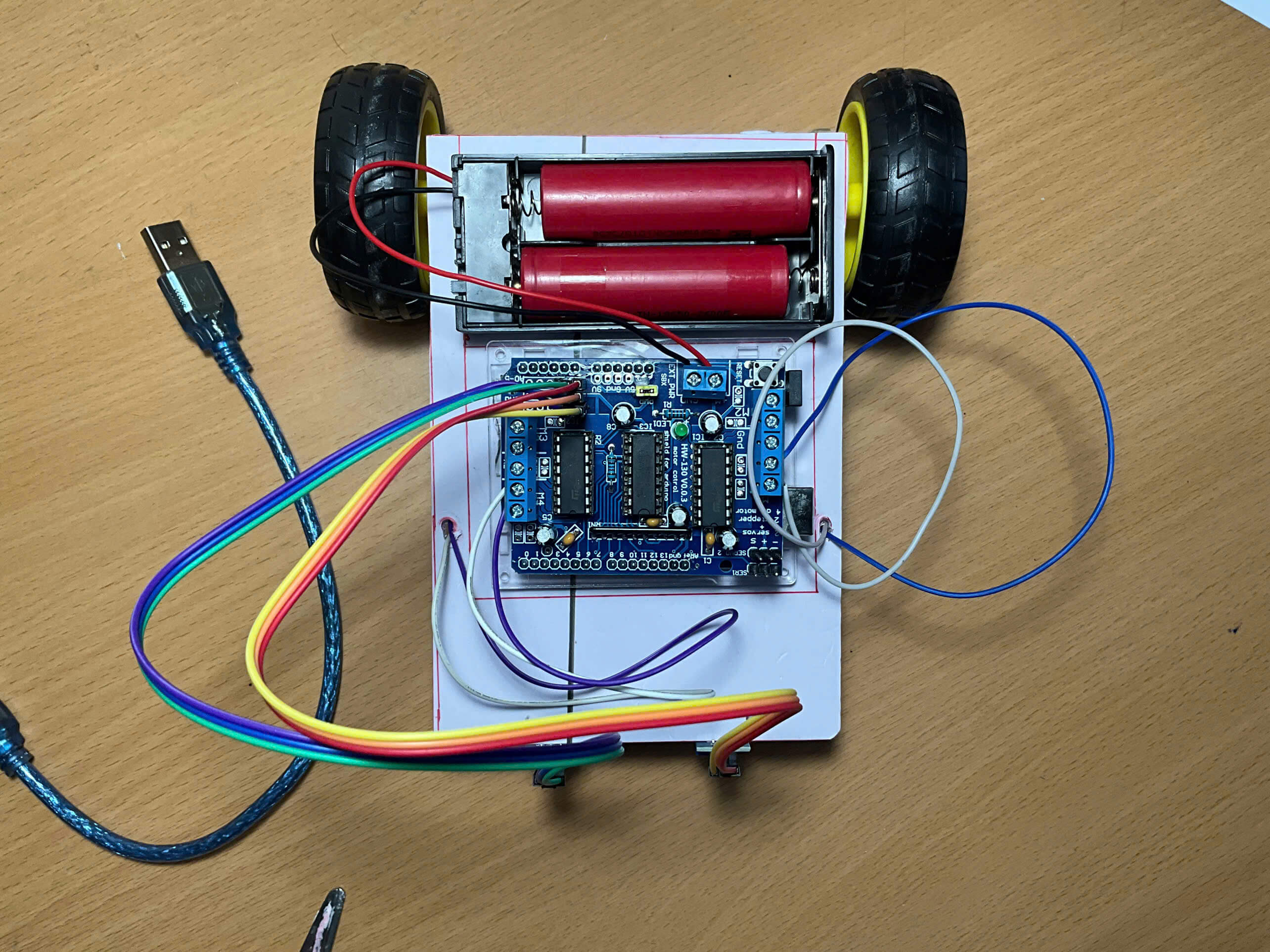
Step 3: Installing the Control Circuit
- Plug the L293D Driver Shield into the Arduino UNO R4.
- Fix the circuit assembly onto the Fomex sheet using tape or screws.
-----------------------------------------------------------------
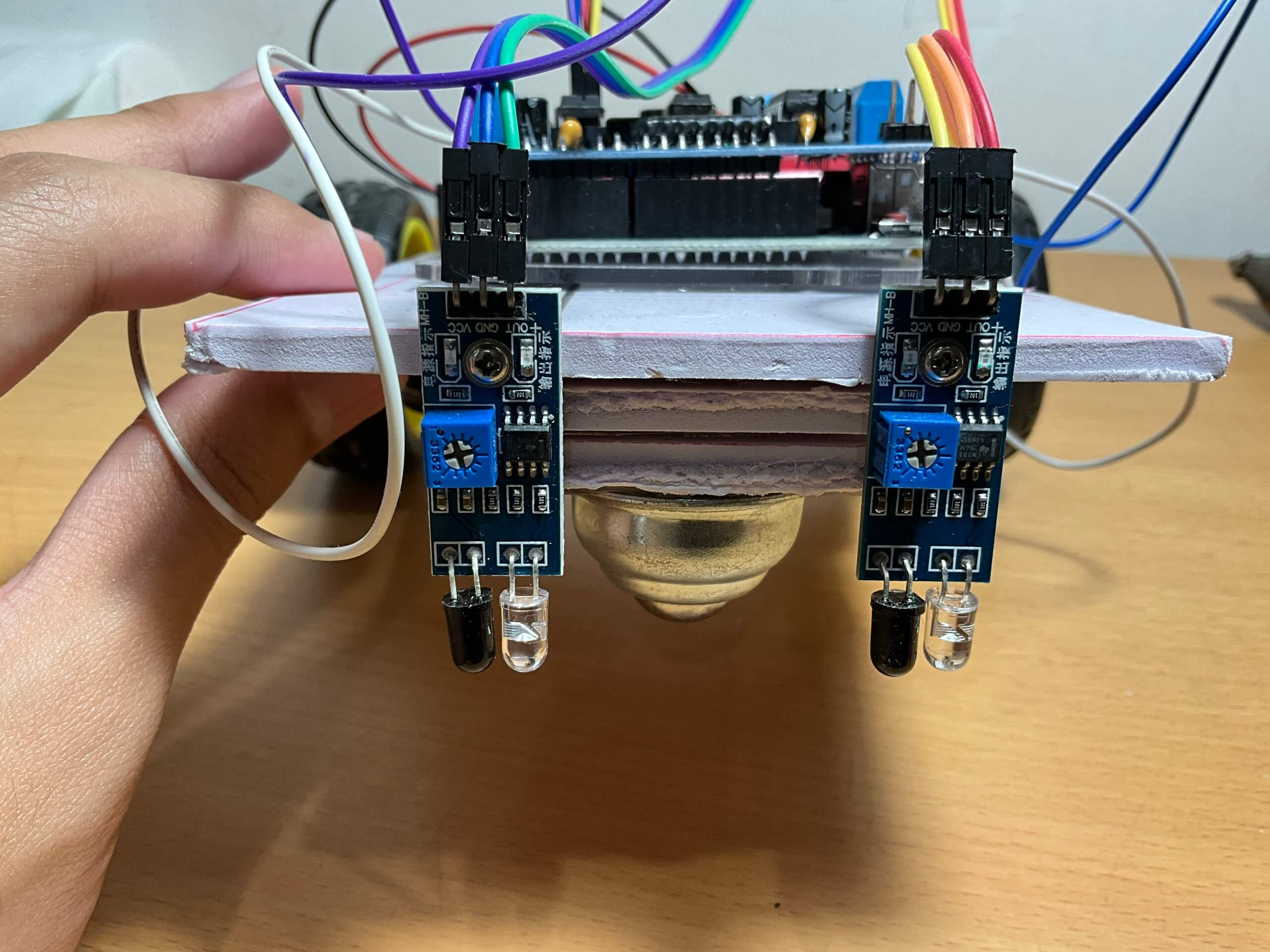
Step 4: Attaching the IR Sensors
- Measure the sensors and make suitable mounts.
- Secure the sensors onto the mounts, then firmly attach them to the Fomex (usually at the front of the robot for line detection).
- Distance between the two sensors: approximately 3 cm (should be wider than the black tape width).
- Height from the sensors to the ground: about 0.5 cm to ensure stable signal detection.
-----------------------------------------------------------------
Step 5: Power Supply
- Attach the 18650 battery holder onto the chassis with tape.
- Insert the two 18650 batteries into the holder.
-----------------------------------------------------------------
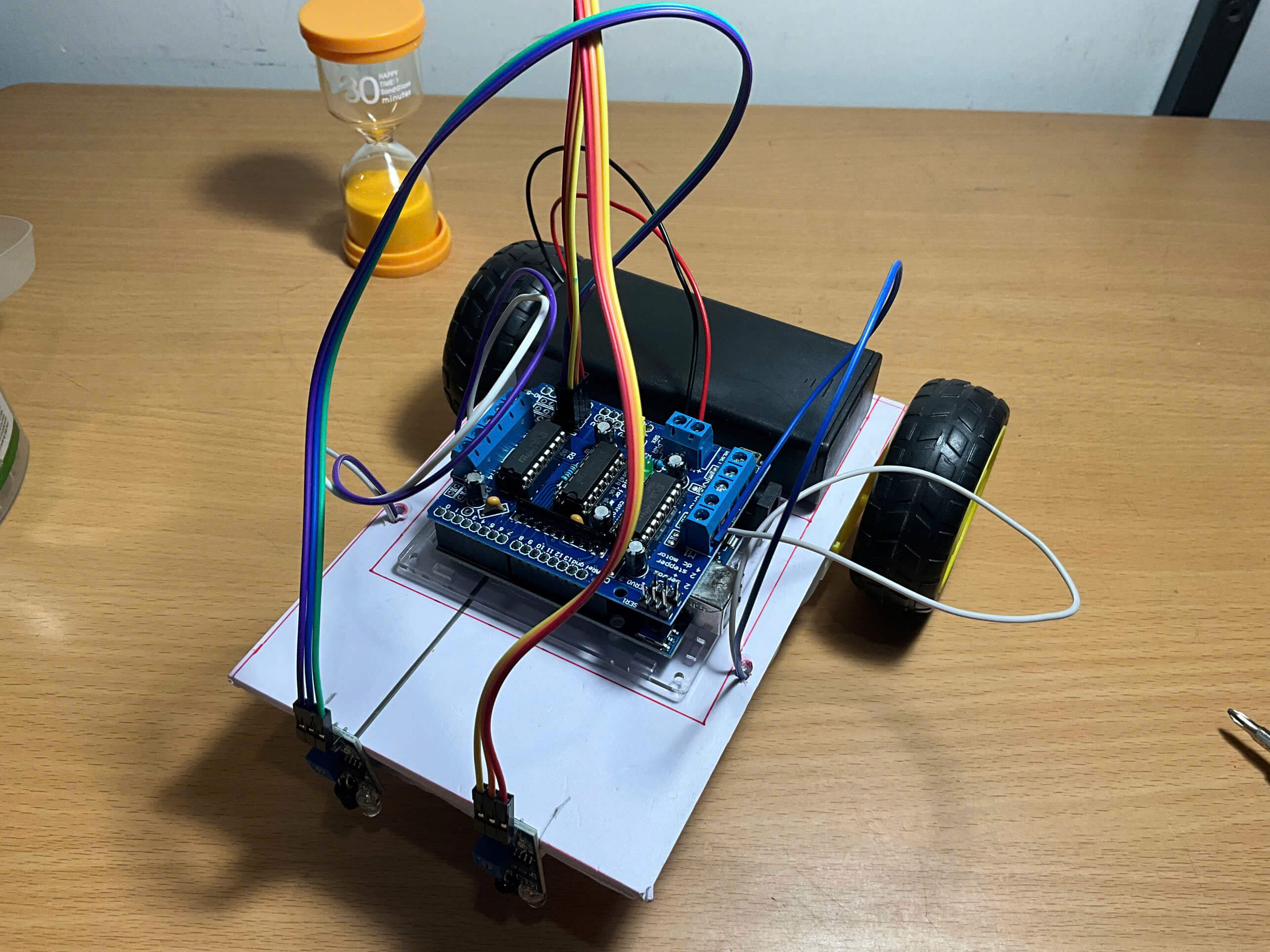
Step 6: Wiring
- Power: connect the red wire (+) from the battery holder to the +M port of EXT_PWR on the Shield, and the black wire (-) to GND.
- Motors: connect the two wires of the left motor to M1 and the right motor to M4 on the Shield.
- Sensors:
- Left IR sensor: VCC → +5V, GND → GND, OUT → A0 (L293D)
- Right IR sensor: VCC → +5V, GND → GND, OUT → A1 (L293D)
4. Code
The line-following robot works by using IR sensors to detect black lines on a white surface. When a sensor detects a line (returns 1), the Arduino adjusts the speed and rotation direction of the two motors, allowing the robot to go straight, turn left, or turn right, keeping it following the path.
// Line Follower Robot using Adafruit Motor Shield V1
// Adafruit Motor Shield V1 library (install from Library Manager)
#include <AFMotor.h>

// Declare IR sensor pins
#define leftSensor A0   // Left IR sensor connected to A0
#define rightSensor A1  // Right IR sensor connected to A1

// Initialize two motors
AF_DCMotor motor1(1, MOTOR12_1KHZ); // Left motor, M1 port
AF_DCMotor motor2(4, MOTOR12_1KHZ); // Right motor, M4 port

void setup() {
  pinMode(leftSensor, INPUT);   // Set left sensor as input
  pinMode(rightSensor, INPUT);  // Set right sensor as input
  Serial.begin(9600);           // Enable Serial Monitor for debugging
}

// Store previous sensor state to avoid sending duplicate motor commands
int prevLeft = -1;
int prevRight = -1;

void loop() {
  int left = digitalRead(leftSensor);   // Read left sensor (0 = white, 1 = black)
  int right = digitalRead(rightSensor); // Read right sensor (0 = white, 1 = black)

  // Only process when sensor state changes
  if (left != prevLeft || right != prevRight) {
    prevLeft = left;
    prevRight = right;

    // Case 1: Both sensors on white (0,0) → line in the middle → go straight
    if (left == 0 && right == 0) {
      motor1.setSpeed(110);  // Left motor speed
      motor1.run(FORWARD);   // Left motor forward
      motor2.setSpeed(110);  // Right motor speed
      motor2.run(FORWARD);   // Right motor forward
    }
    // Case 2: Left=0, Right=1 → line touches right sensor → drift right → turn left
    else if (left == 0 && right == 1) {
      motor1.setSpeed(110);
      motor1.run(FORWARD);   // Left motor forward
      motor2.setSpeed(110);
      motor2.run(BACKWARD);  // Right motor backward → rotate left
    }
    // Case 3: Left=1, Right=0 → line touches left sensor → drift left → turn right
    else if (left == 1 && right == 0) {
      motor1.setSpeed(110);
      motor1.run(BACKWARD);  // Left motor backward
      motor2.setSpeed(110);
      motor2.run(FORWARD);   // Right motor forward → rotate right
    }
  }
  delay(15); // Pause 15ms before next loop → reduce noise, allow motor reaction
}